
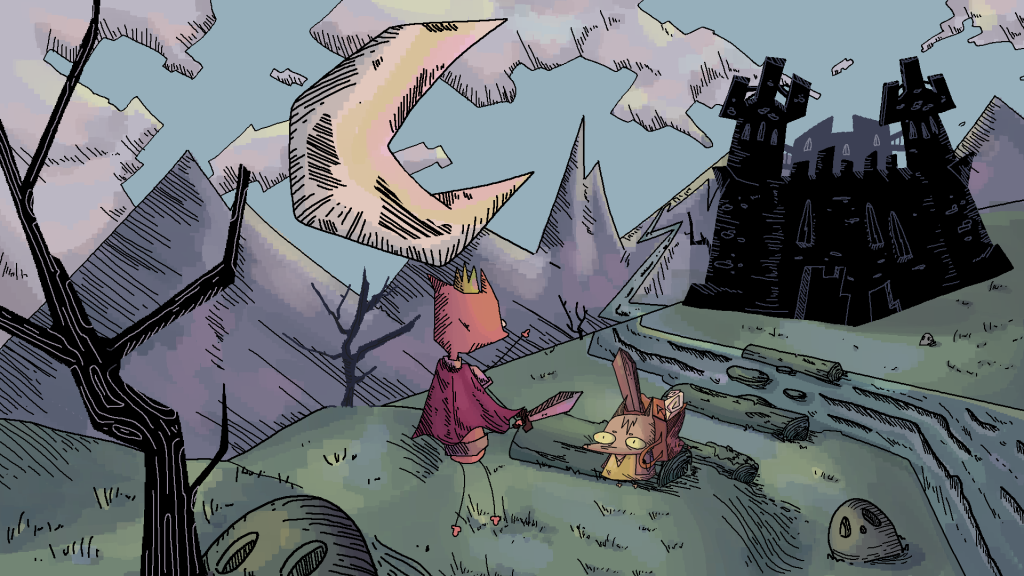
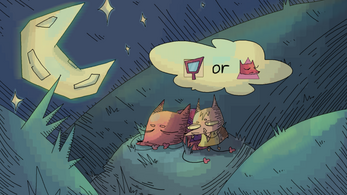
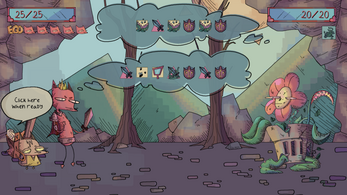
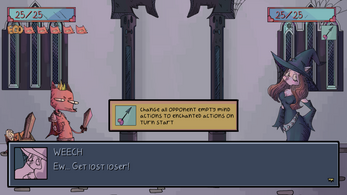
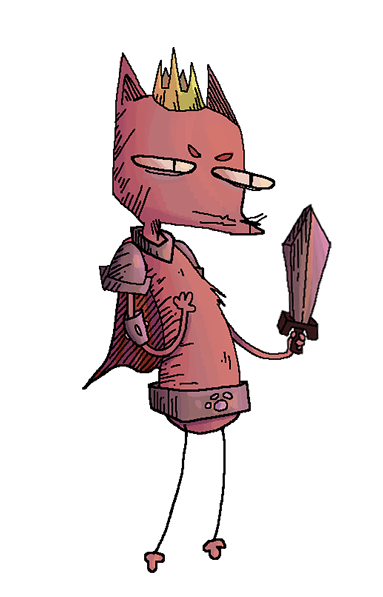
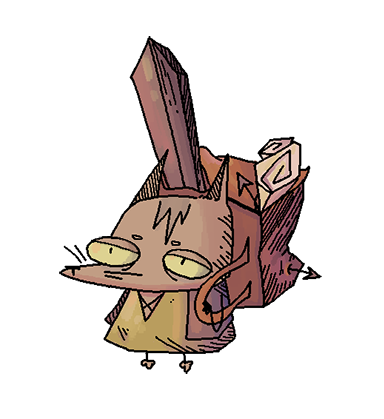
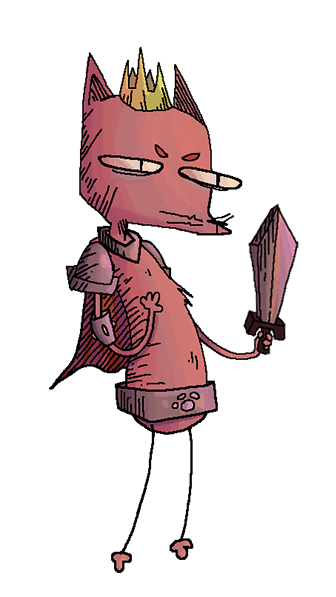
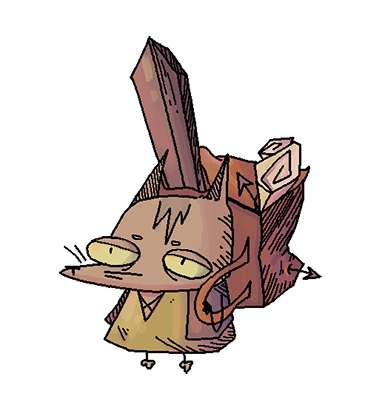
Imagine a charming world brought to life where vibrant artwork, whimsical storytelling, and captivating gameplay combined to create a heartwarming adventure. The Adventures of the Heroic Fox, created by Krasi0707, invites players to step into the paws of a courageous fox on a noble quest. With lush visuals, creative game design, and a storyline that balances humor and heroism, this game delivers an experience that’s as visually delightful as it is engaging to play.
The Game
In The Adventures of the Heroic Fox, our fearless hero may be brave and noble, but he’s also a bit… sensitive. If his tail doesn’t get enough compliments or someone forgets to call him “the greatest woodland hero of all time,” his ego takes a hit, and suddenly saving the day feels optional. That’s where you, the loyal esquire, come in! Your job is to keep his spirits high in this turn-base strategy game where you pick the battle options our hero provides you with. With the right mix of pep talks, flattery, and ego-boosting cheer and strategy options you will help him defeat his enemies and save the beautiful princess. So, be prepared to remind him how heroic his leaps are, how shiny his snout looks, and how the world definitely couldn’t be saved without him.
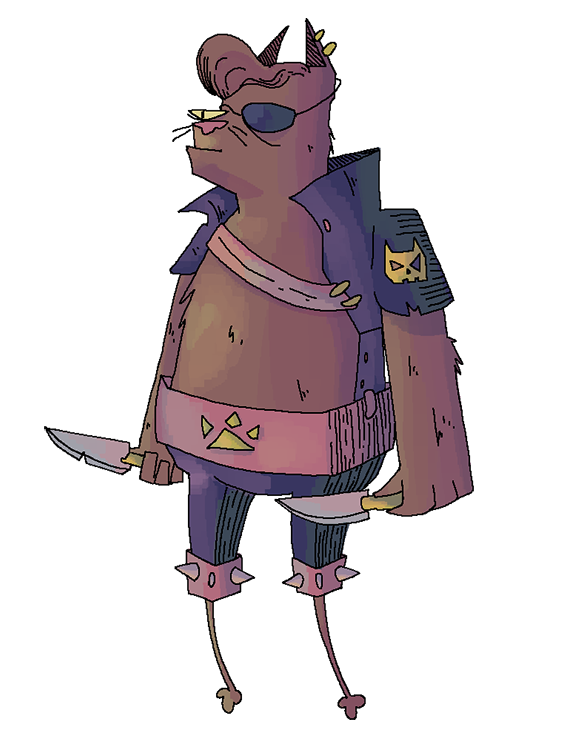
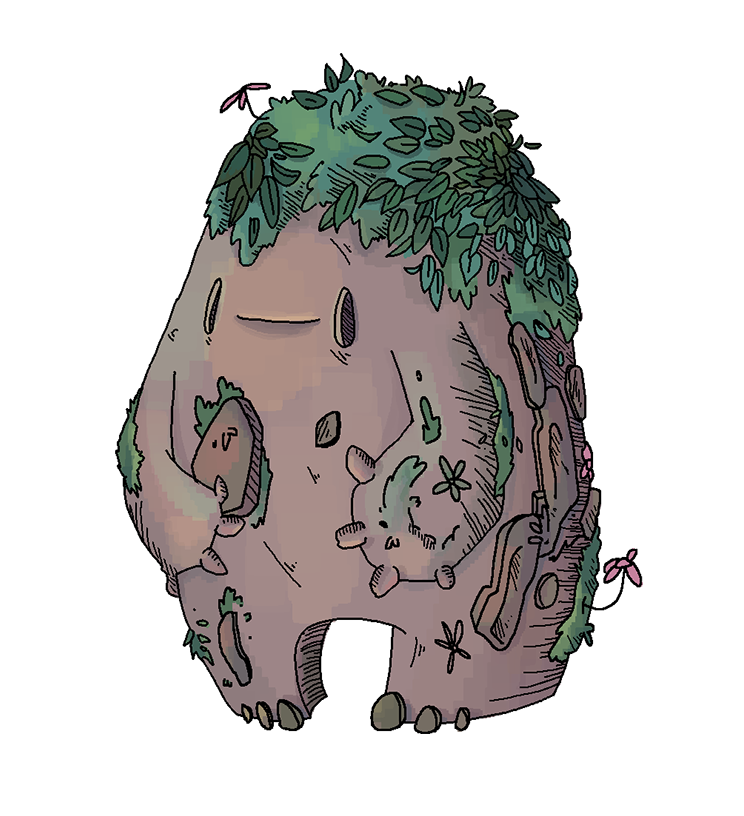
From intricate landscapes to carefully crafted UI elements, the game’s aesthetic draws you in instantly. Each scene feels like it was plucked straight out of a children’s storybook: playful, colorful, and brimming with personality. Whether you’re solving puzzles, exploring charming environments, or defeating adversaries, The Adventures of the Heroic Fox was a great find and candidate for our localization project.
The Project
But behind the scenes of this delightful adventure lies another journey my colleagues Anne Tran and Kayla Gade and I took upon ourselves: localizing it into Brazilian Portuguese and Japanese. It would involve carefully navigating the game’s code, intenationalizing strings for translation and cultural nuances, and ensuring the integrity of the original design remained intact in all languages. Needless to say, it was more than just a task of words; it was about preserving the magic, tone, and humor that make this game special while adapting it for two culturally distinct audiences.
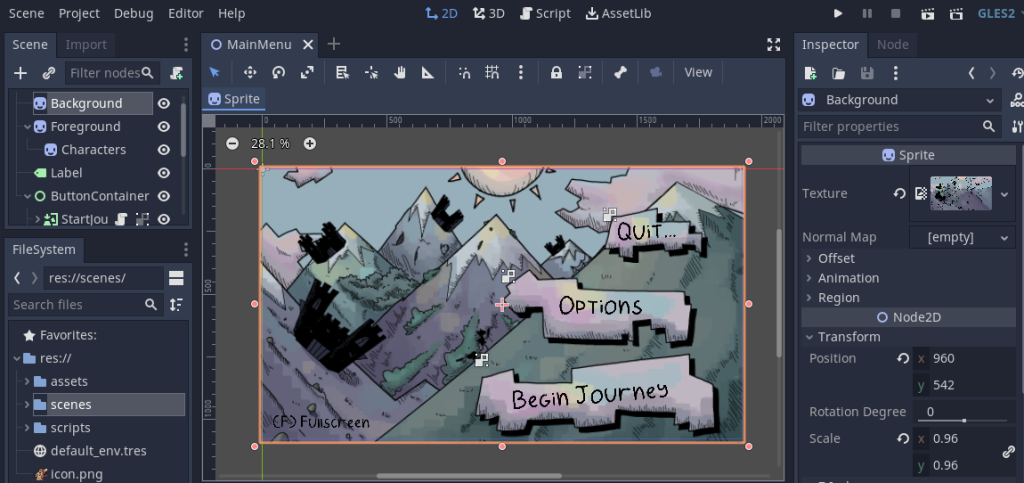
The game was built using the Godot Engine, combining lightweight, efficient code with flexible features that make it both visually appealing and technically robust. We took on the challenge of learning Godot from scratch to bring this project to life, diving into its intuitive tools and unique scene system.
I’ll take you behind the curtain to show how we used Godot to make this heroic little fox speak to audiences across the globe!
First, check out this quick walk-through of the original game!
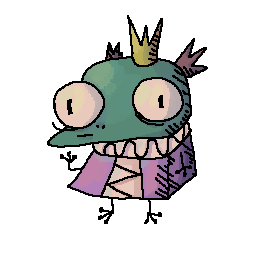
If you want to play original game yourself, know more about the author, and access the code you can find it
If you wanna see more, you can follow along with GSDBoxer in this video to see how it is played!
The Tools
In addition to using Godot, we quickly realized that we would need additional tools to meet our localization goals effectively. For managing and streamlining the translation process, we used Phrase as our Translation Management System (TMS), which allowed us to organize and maintain consistency across languages.
While diving deeper into the game’s code and assets, two key challenges emerged: some flat images containing embedded text required localization into Japanese, and the custom-made fonts used in the game needed specific glyph adaptations to support Portuguese characters, such as accents (á, ç, ã). Addressing these challenges ensured the game not only looked polished but also provided a smooth and authentic experience for players in both target languages.




Phrase TMS
The Process
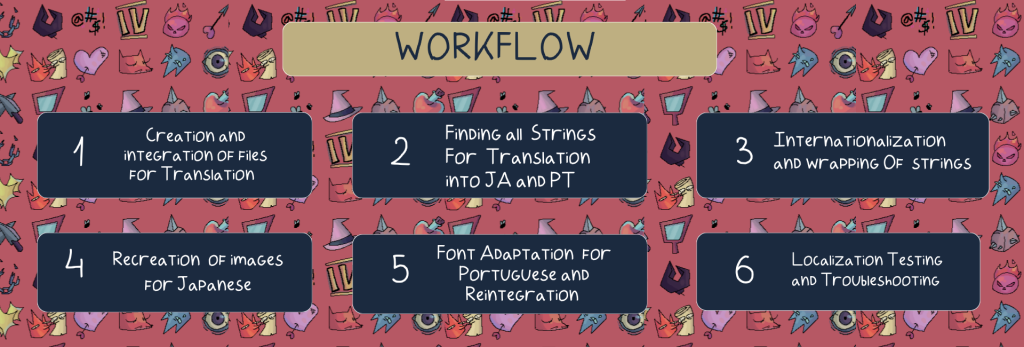
Step 1. Creation and Integration of Files for Translation
Preparing Godot for localization was a surprisingly straightforward process, thanks to its built-in support for handling translation files. The first step involved creating a CSV (Comma-Separated Values) spreadsheet to organize all the text strings for the game. The spreadsheet required clearly defined columns: one for keys (unique identifiers for each string), one for the default language (English), and additional columns for each target language, in this case, Japanese (JA) and Portuguese (PT).
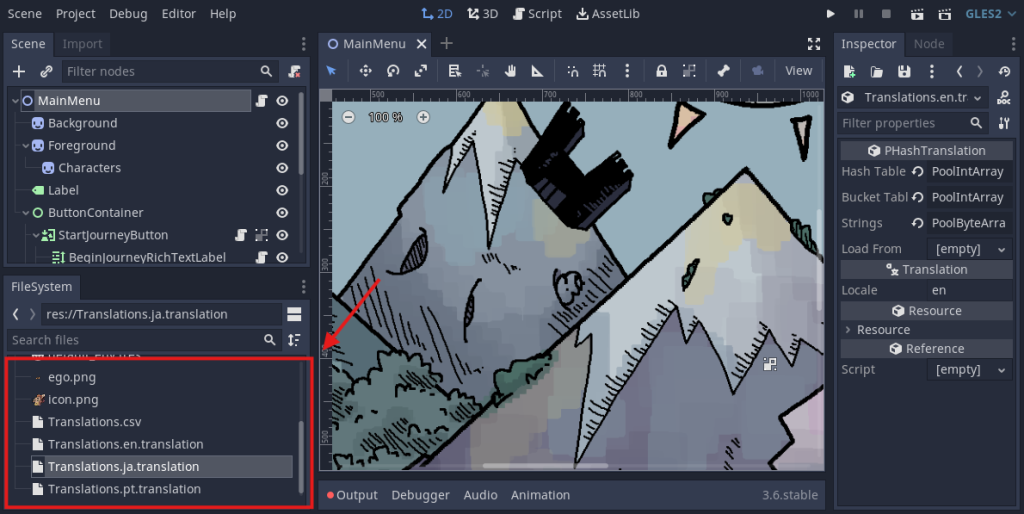
Once the CSV file was ready, integrating it into Godot was seamless. By simply dragging and importing the file into the project, Godot automatically incorporated the text into its system.
The translation data could then be accessed and managed through the Localization tab in the project settings, where languages could be added, and the CSV file linked directly. Godot’s flexibility allowed easy retrieval of localized strings using the tr() function within the game’s code, enabling dynamic text replacement based on the active language.
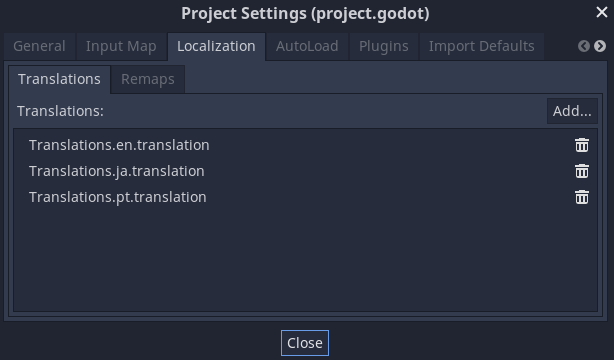
This process not only ensured efficient integration but also made localization scalable—new languages can be added by extending the CSV file and updating the project settings. Additionally, Godot’s scene-based architecture ensured that localized strings could be effortlessly applied to UI elements, dialogue boxes, and menus without disrupting the game’s design or structure.
Step 2. Finding All Strings for Translation
We discovered that the text strings across various parts of the game were scattered throughout multiple files in the code, and some sections didn’t even have scripts attached yet. While we couldn’t implement an automated text extraction method at this stage, consolidating all the strings into a single CSV file proved to be a major advantage. Once the translations were finalized in Phrase and the updated CSV file (containing all languages) was reintegrated into Godot, the process became considerably efficient. If we needed to update, add, or modify strings, all we had to do was adjust the single CSV file and reintegrate it, making iterative changes a quick step. This straightforward approach eliminated the need to recreate entire translation jobs in the TMS or looking for the translations inside the code, saving us significant time during the final localization testing phase, particularly when checking for font rendering and translation accuracy.
- Main Menu
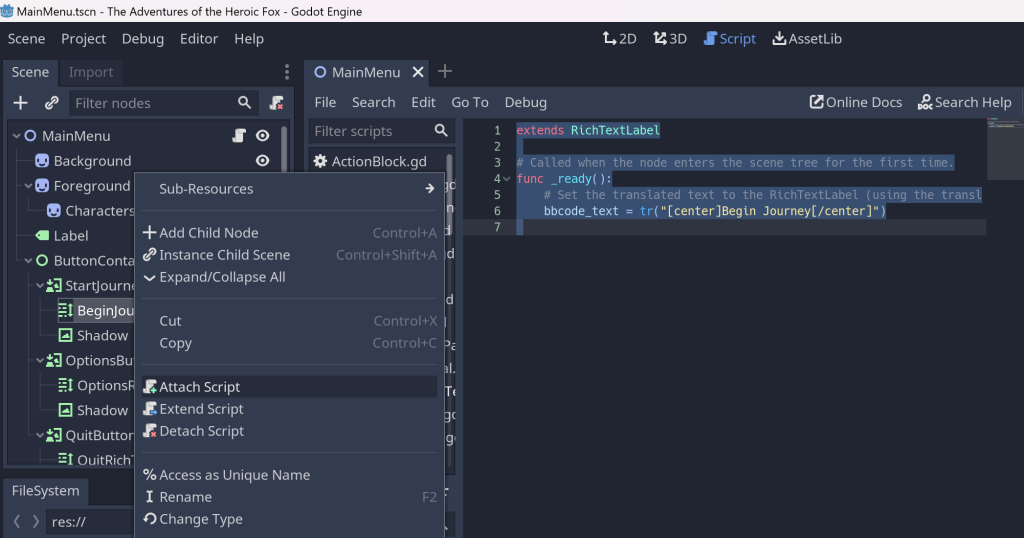
We began by tackling the three Main Menu buttons, which initially lacked any scripts. To resolve this, we created and attached new scripts to each button individually, enabling us to proceed with the internationalization process as our next step.
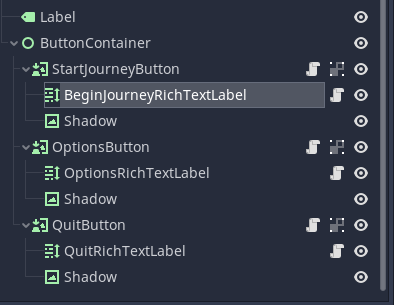
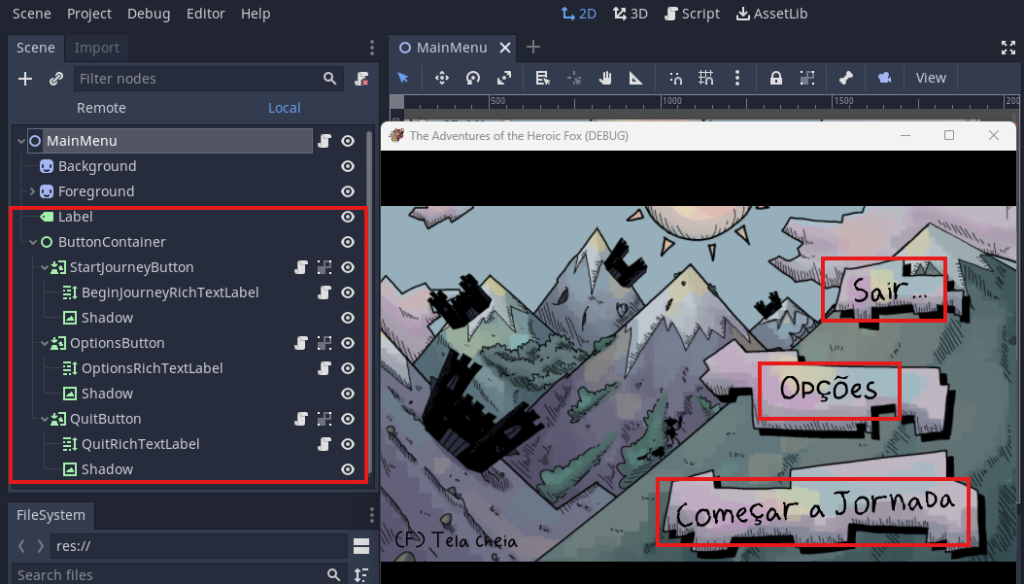
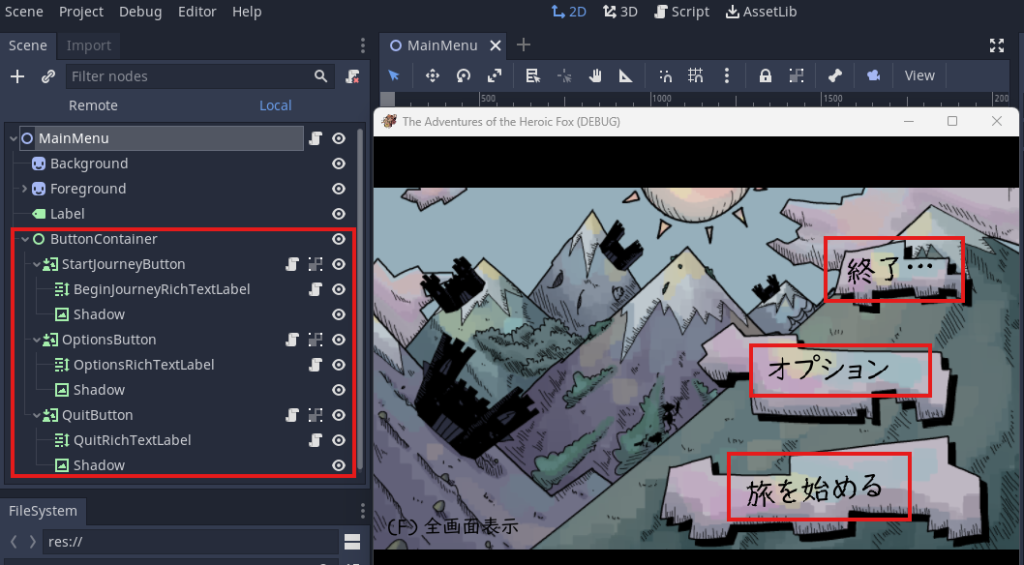
- Dialogs… All the dialogs
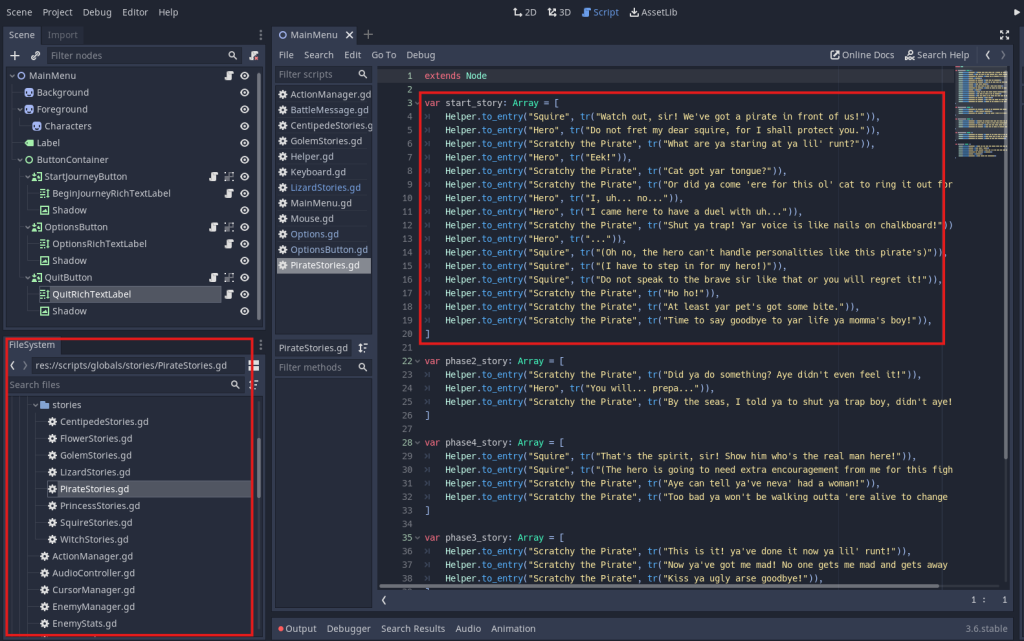
The Adventures of the Heroic Fox is a text-heavy game, with character interactions and dialogue playing a central role in guiding players through tutorials and creating engaging moments. Locating these text strings required some deeper digging into the code, but once we identified them, we were able to extract the necessary content and move forward with the internationalization process.
- Pause Buttons and Options
The Pause and Options buttons presented their own challenges, as they were located in separate parts of the code and required careful internationalization, including wrapping the text strings for proper handling.
These particular strings highlighted a common consideration for localization: if we had been involved earlier in the game’s development phase to make it localization-ready, we would have recommended designing certain UI elements—such as button sprites—for scalability. For example, buttons like Pause, Options, and Volume would need to accommodate languages that naturally expand in text length.
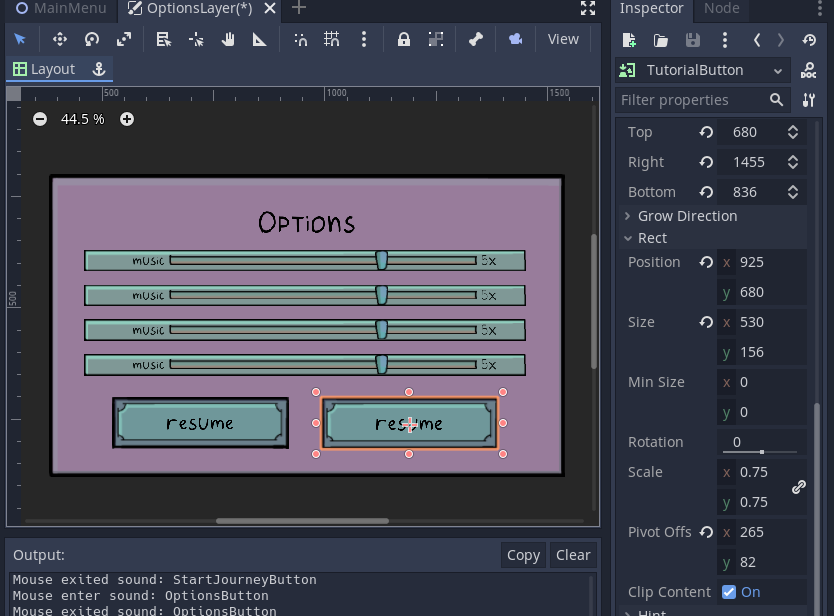
To work around this limitation, we recreated the button images as needed. However, we were ultimately able to adapt the font size and translations to fit within the existing layout without compromising visual quality. Truncation issues were resolved, and the final result rendered a clean, visually pleasing UI across all localized versions.
Step 3. Internationalization
After researching the best optiions for internationalizing strings in Godot, we implemented a tailored solution by creating and integrating a custom script, which we thoroughly tested to ensure functionality. In some cases, newly created scripts, such as those for buttons or UI elements, also required this script to activate translations in the localized versions.
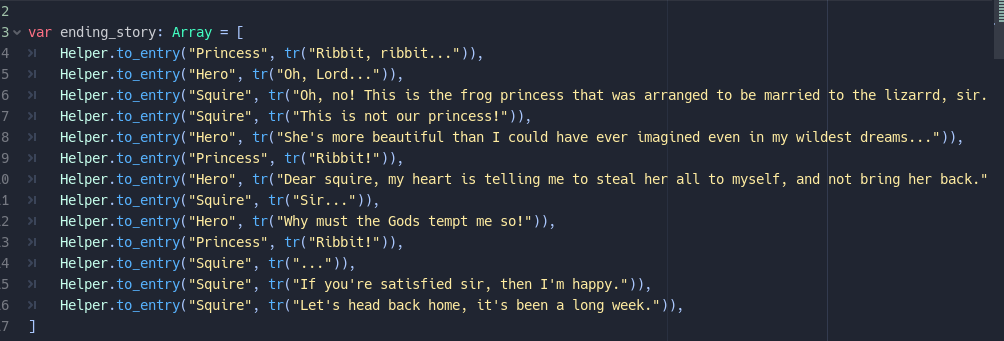
The key step in Godot’s internationalization process involves wrapping each translatable string using the tr() function, which allows the engine to dynamically replace text based on the active language. Every string across the game, whether in dialogue, UI elements, or system messages, was carefully wrapped with tr() to ensure it could be localized.
Additionally, all translations were centralized and stored in CSV translation files, which were then imported into Godot’s Localization tab in the project settings. This streamlined approach ensured consistency and made it easy to manage and test translations across both languages.
Additionally, all translations were centralized and stored in CSV translation files, which were then imported into Godot’s Localization tab in the project settings. This streamlined approach ensured consistency and made it easy to manage and test translations across both languages.
Step 4. Recreation of Images in Photoshop
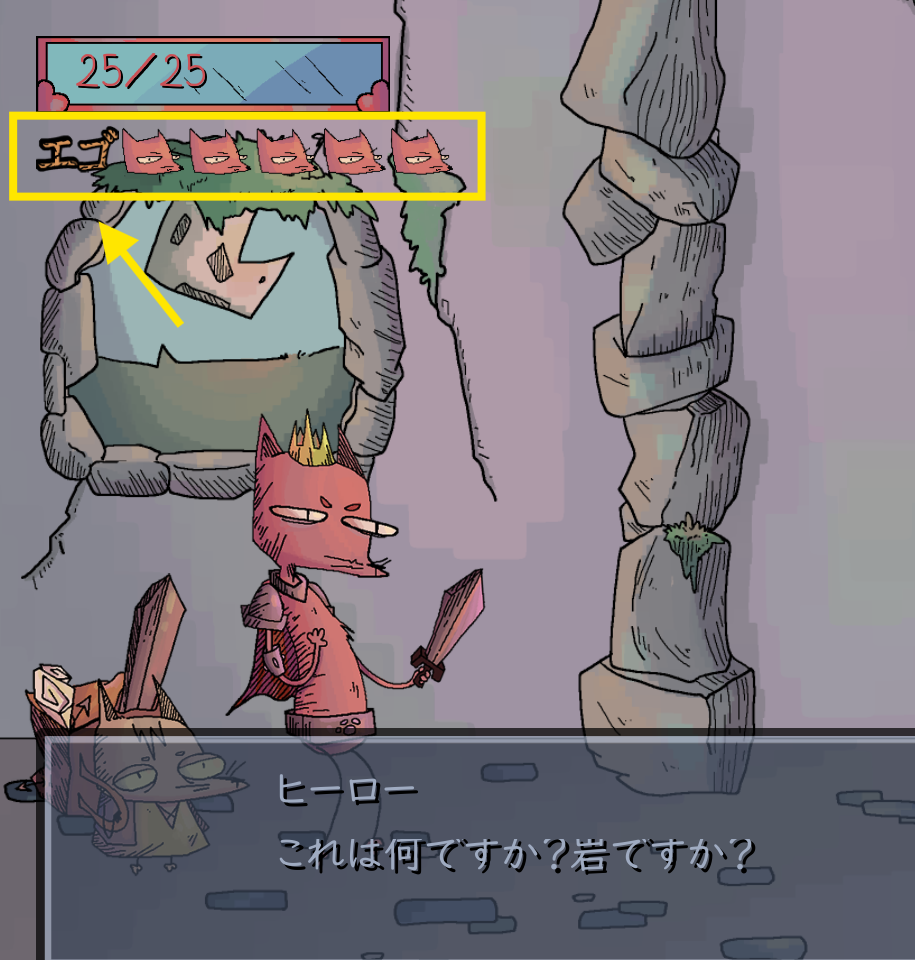


Some essential assets in the original game, such as images containing text critical to the game’s context and player understanding, were identified as flat images, which could not be dynamically localized. This was particularly significant for the Japanese version, where these assets required recreation. Using Photoshop, we carefully redesigned the images to closely match the original style, ensuring consistency in visual appearance. Once recreated, the updated assets were integrated into the game and connected to the appropriate locale, seamlessly aligning with the localized versions.


Step 5. Font Adaptation for Portuguese
During testing of our Portuguese translations, we encountered an issue: the font used in the game lacked the necessary glyphs for accents, which are crucial not only for Portuguese but also for other languages requiring special characters. After further investigation, we discovered that the font was custom-made. Rather than opting for a similar substitute, we decided to adapt the original font to maintain the game’s unique aesthetic.
To achieve this, we turned to the tried-and-true FontForge tool, which allowed us to manipulate the font, add the missing glyphs, and create an updated version. This revised font was then reintegrated into the game. The process involved a fair amount of trial and error, as we tested and refined the results to meet our quality standards.
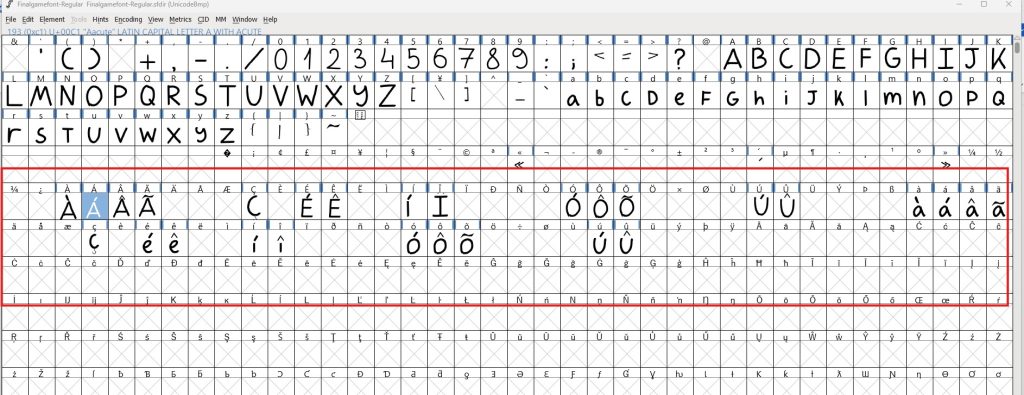
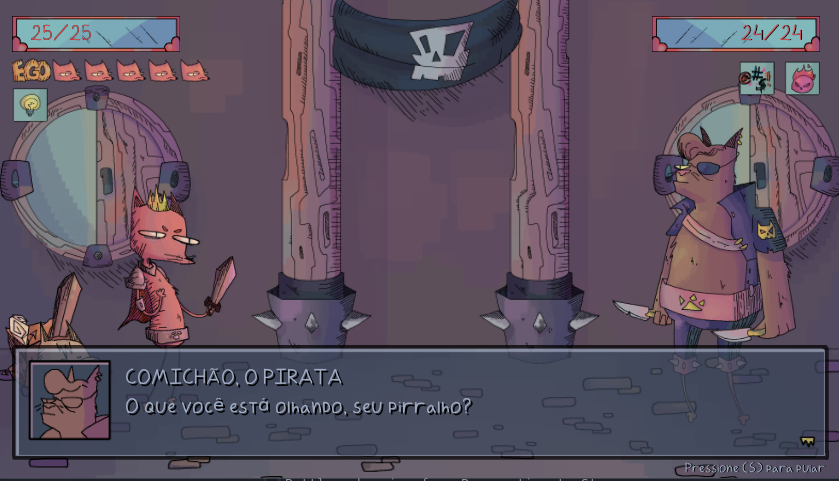
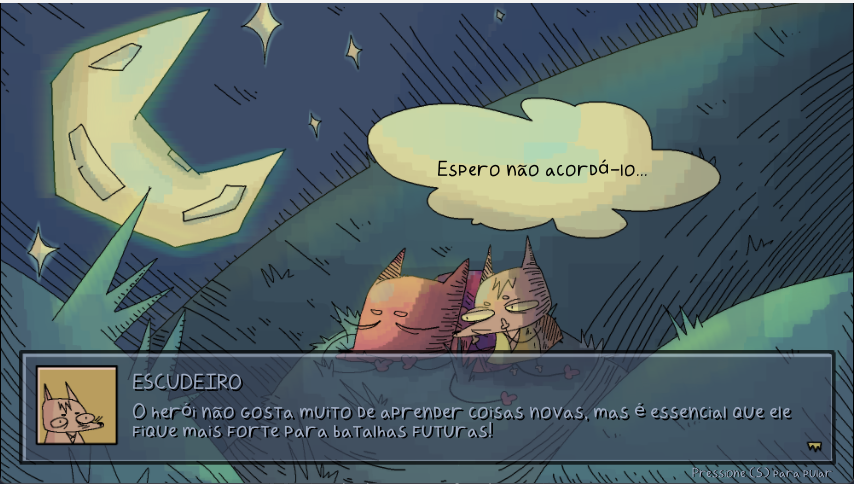
The effort was well worth it, as the adapted font not only supported accurate localization but also preserved the game’s original style. In fact, I even used this updated font in the formatting of some of the images featured in this very article—a rewarding way to showcase the outcome of this meticulous process!
6. Localization Testing and Troubleshooting
The final step of the localization process was dedicated to thorough testing, ensuring that the translations rendered perfectly in both Portuguese and Japanese. We carefully examined each language for potential issues such as truncation, where longer text might exceed the boundaries of buttons or UI elements, and adjusted the layout or font sizes as needed. Thanks to the adaptations made to the original font, Portuguese accents and Japanese characters displayed cleanly and harmoniously, maintaining the game’s polished aesthetic.
We also evaluated how the recreated images integrated with the game’s overall art style and graphics. The modified assets blended seamlessly, ensuring that localized versions retained the charm and cohesiveness of the original design. After testing and refining every detail, the game was ready to provide players in both languages with an authentic and visually stunning experience.
Check out our final results in this walk-trhough of The Adventures of the Heroic Fox in Japannese!
And here you can see the walk-through of the game in Brazilian Portuguese!
Final Thoughts and Take Aways
Localizing The Adventures of the Heroic Fox was as much a journey for us as it was for the little fox himself. Each challenge, from learning Godot’s features to untangling strings buried deep in the code, brought its own set of lessons and a few laughs. The artwork was delighful to watch in detail from behind the scenes, and the process of adapting the origianal fonts, recreating flat images, and ensuring the UI held up across languages kept us on our toes in an engaging way. Despite the occasional hiccup and extra steps (looking at you, custom fonts without accents), it was incredibly rewarding to see the game come to life in both Portuguese and Japanese, reaching new audiences without losing its playful essence.
As we reflect on this experience, a few ideas for future improvements come to mind. Adding dynamic UI scaling to better accommodate expanding languages, implementing automated text extraction for efficiency, and perhaps even collaborating on multilingual voiceovers (which our game did not offer but compensated beautifully with the music) to elevate the storytelling would all be fantastic enhancements. Working with Godot as our engine proved to be very interesting. It’s flexible, lightweight, and remarkably user-friendly, even for a project as detail-intensive as this one. Ultimately, we walked away not only with a localized game but also a newfound appreciation for the art of marrying technology, language, and creativity into a single, cohesive, fun experience.